

Disclaimer:
This page may contain affiliate links, meaning we may earn a small commission if you make a purchase through these links, at no extra cost to you. This helps support this channel.
Discover how to build a stunning website with Hostinger. This detailed guide covers Hostinger key features, benefits, and practical examples for personal and business use.
Creating a website has never been easier, especially with powerful web hosting services like Hostinger. As I began on my journey to build a website, Hostinger quickly became my go-to platform. In this article, I’ll share my experience with Hostinger, its features, benefits, and how you can leverage it for both personal and professional use.
Why Choose Hostinger for Your Website?
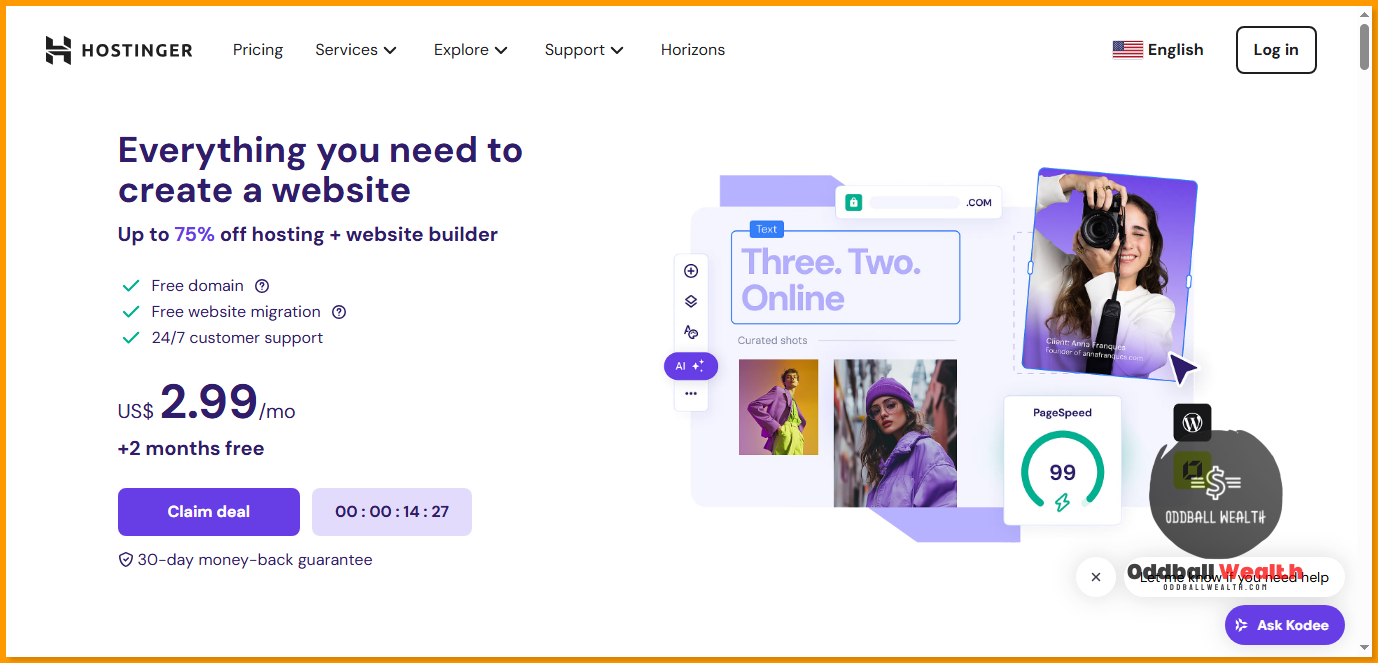
When I first decided to build a website, I needed a hosting provider that was not only affordable but also user-friendly and reliable. Hostinger stood out for several reasons:
- Affordability: Hostinger offers some of the most competitive pricing in the industry, making it accessible for beginners and small businesses.
- User-Friendly Interface: The dashboard is intuitive and easy to navigate, even for those with no technical background.
- Performance: Hostinger guarantees 99.9% uptime, ensuring that my website is always accessible to visitors.
- Customer Support: Their 24/7 customer support team is always ready to help, which gives me peace of mind knowing that assistance is just a click away.
How To Get Started Building Your Website with Hostinger
Step 1: Sign Up for a Hostinger Account
To kick off my website-building journey, I signed up for a Hostinger account. The process was simple:
- Visit the Hostinger website: I navigated to Hostinger’s website and selected the plan that best suited my needs.
- Create an account: I entered my email and created a password. Hostinger also offers a one-click sign-up through social media accounts, making the process even faster.
- Choose a Hosting Plan: I opted for the Premium Shared Hosting plan, which provides excellent features at a low cost. Here’s a brief overview of the plans available:
- Single Shared Hosting: Ideal for one website and a limited number of resources.
- Premium Shared Hosting: Perfect for multiple websites with more resources.
- Business Shared Hosting: Offers enhanced performance and additional features for small businesses.
Step 2: Domain Name Registration
After signing up, the next step was to choose a domain name. Hostinger makes this process seamless:
- Domain Search: I used their domain search tool to find a unique and catchy name for my website. It’s important to choose something that reflects my brand or personal identity.
- Registration: Once I found the perfect domain, I registered it directly through Hostinger. They offer various domain extensions (.com, .net, .org, etc.) to suit my preferences.
Step 3: Setting Up My Website
Now comes the fun part—building my website! Hostinger offers a variety of options for this:
Using the Website Builder
Hostinger’s Website Builder is a fantastic tool for those who prefer a drag-and-drop interface. Here’s how I utilized it:
- Templates: I browsed through a wide range of professionally designed templates, which catered to different niches—business, personal blogs, portfolios, etc. I selected a template that matched my vision.
- Customization: With the drag-and-drop functionality, I easily added elements like text, images, and videos. The ability to customize fonts, colors, and layouts made my website feel personal and unique.
Installing a Content Management System (CMS)
If you prefer more control over your website, Hostinger allows you to install popular CMS options like WordPress with just a few clicks. I opted for WordPress for its flexibility:
- One-Click Installation: Hostinger’s auto-installer made it simple to set up WordPress.
- Themes and Plugins: I explored thousands of themes and plugins available on WordPress, allowing me to enhance functionality and design effortlessly.
Key Features of Hostinger
1. Performance and Speed
One of the standout features of Hostinger is its exceptional web hosting performance. The platform utilizes:
- LiteSpeed Web Server: This technology boosts website speed significantly, ensuring a fast user experience.
- Caching Options: Hostinger provides built-in caching tools to enhance load times further.
2. Web Security Features
Security is a top priority for any website owner, and Hostinger has got me covered:
- Free SSL Certificates: This feature encrypts data transfer, ensuring that visitors feel secure on my website.
- Weekly Backups: Regular backups protect my website from data loss, giving me peace of mind.
3. User-Friendly Control Panel
The custom control panel is straightforward, allowing me to manage my website effortlessly. From managing emails to accessing files, everything is in one place.
4. Scalability Options for Personal Branding and Business Growth
As my personal brand or business grows, I can easily upgrade my hosting plan without significant downtime. Hostinger supports scalability, making it a long-term solution.
Benefits of Using Hostinger Website Builder
Building Personal Websites
Building a personal website with Hostinger opens up numerous possibilities:
- Blogging: I can share my thoughts, experiences, and hobbies. The easy-to-use interface means I can publish content regularly without technical hassles.
- Portfolio: For creatives like myself, showcasing work is crucial. Hostinger’s templates allow for stunning visual presentations of my projects.
Building Professional Websites
Hostinger is not just for personal projects; it’s an excellent tool for professionals and businesses:
- Business Websites: Small businesses can create an online presence to reach more customers. The e-commerce features allow for selling products and services directly through the site.
- Freelancing: If I wanted to start freelancing, having a professional website is essential. It establishes credibility and allows potential clients to see my work.
Real-Life Scenarios for Building Websites with Hostinger
Scenario 1: Launching a Personal Blog
Imagine wanting to share your travel experiences. With Hostinger, I easily set up a blog, selected a travel-themed template, and began writing posts. The built-in SEO tools helped optimize my content for search engines, driving more traffic to my blog.
Scenario 2: Creating an Online Store
As a budding entrepreneur, I envisioned launching an online store. Using Hostinger, I set up an e-commerce site effortlessly. The WooCommerce plugin allowed me to manage products, payments, and shipping seamlessly, transforming my business idea into reality.
Tips for Building Successful Websites with Hostinger
- Utilize SEO Tools: Hostinger offers various SEO tools to help your website rank higher in search engines. Make use of these to enhance visibility.
- Engage with Your Audience: Whether through blogs or e-commerce, engaging with your visitors through comments, emails, or social media is key to building a community.
- Regular Updates: Keep your website updated with fresh content and regular maintenance to ensure optimal performance and security.
Conclusion to How to Build a Website with Hostinger
Building a website with Hostinger has been a rewarding experience. With its affordability, user-friendly features, and reliable performance, it’s an excellent choice for anyone looking to establish an online presence. Whether for personal projects or business ventures, Hostinger provides all the tools needed to create a stunning and functional website.
If you’re ready to take the plunge and build your own website, I encourage you to try Hostinger. With their robust features and excellent support, you’ll be well on your way to online success!
By sharing my journey and insights on using Hostinger, I hope to inspire you to start your own website today! Let’s take this step together towards building a digital presence that truly reflects who we are.
More from Oddball Wealth Related to Online Business & Web Design!





































2 thoughts on “How to Build a Website with Hostinger: A Step-by-Step Guide!”