Disclaimer:
This page may contain affiliate links, meaning we may earn a small commission if you make a purchase through these links, at no extra cost to you. This helps support this channel.
Dive into my detailed Shutterstock Review to explore its features, benefits, and how it transforms content creation. Discover why it’s a go-to creative platform for high-quality images, videos, and music.
Shutterstock Review: A First-Hand Experience
As someone deeply involved in creating content, I’ve tested countless stock photo platforms, but one has consistently stood out—Shutterstock. Over the past few weeks, I’ve put Shutterstock to the test, exploring its massive library of visuals, intuitive interface, and standout features.
In this detailed Shutterstock review, I’ll share my experience, highlight the platform’s strengths, and show how it can be a game-changer for creators, marketers, and businesses alike.
What Is Shutterstock?
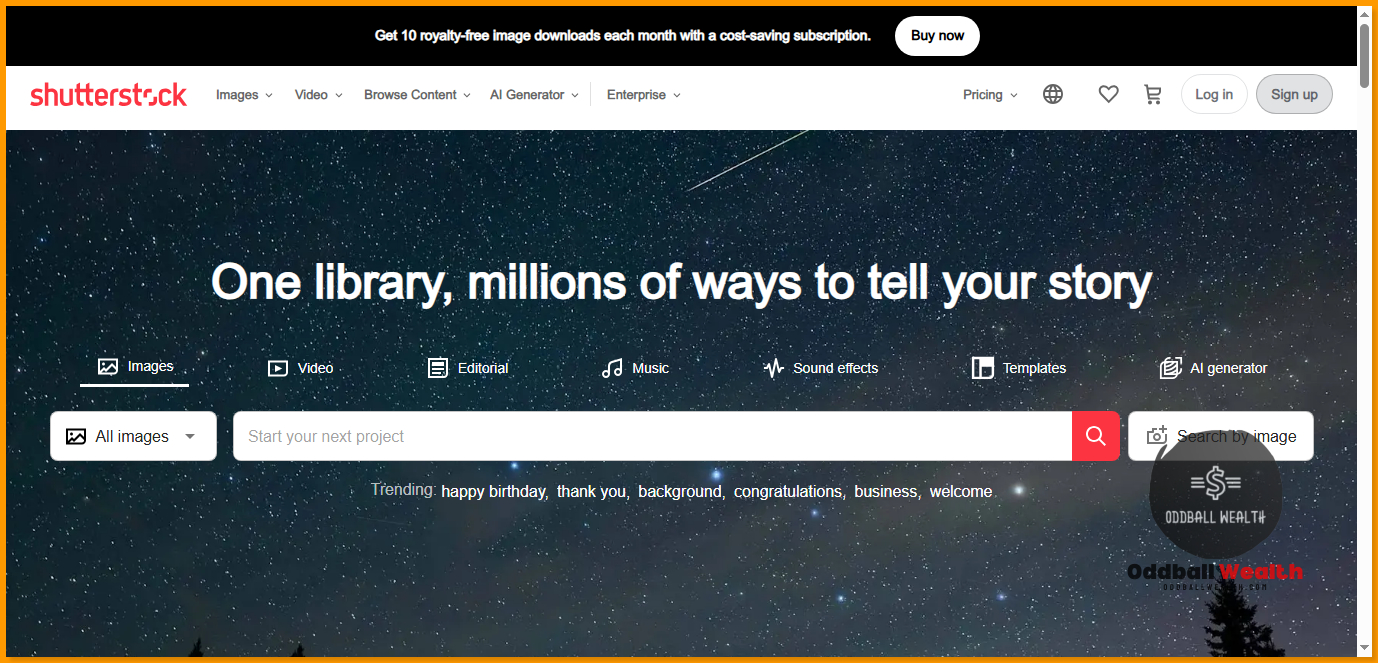
Shutterstock is one of the world’s largest platforms offering royalty-free stock images, videos, music tracks, and design tools. With a library of over 440 million assets and stock photos, it’s tailored to cater to photographers, designers, marketers, and anyone needing high-quality visuals to amplify their projects.
Also Read: 25+ Websites To Sell Your Photos Online To Earn Passive Income
Shutterstock Key Features and Benefits
Shutterstock doesn’t just provide visuals; it delivers a seamless creative experience. Below are the features I found most impressive:
1. Massive Content Library
When I say massive, I mean it. Shutterstock’s library includes:
- Images: From crisp landscapes to niche concepts, there’s something for everyone.
- Videos: Over 28 million clips, including 4K options for professional-quality projects.
- Music Tracks: Perfect for videos, podcasts, or advertisements.
- Vectors and Illustrations: A treasure trove for designers needing flexible assets.
Example: While working on a travel blog post, I found breathtaking aerial views of Bali and New Zealand within minutes—an experience that’s unmatched by other platforms I’ve tried.
2. Shutterstock Editor: The Built-in Design Tool
You don’t need Photoshop to make edits. With Shutterstock Editor, I easily cropped images, adjusted colors, added text, and made quick design tweaks—all without leaving the platform.
Limited-Time Deal: Adobe Photoshop Elements: 3-Year License for ONLY $99.99!
Click Here To Claim Deal.
Scenario: For a social media campaign, I used Shutterstock Editor to create an Instagram carousel. The drag-and-drop interface made it a breeze to align visuals, add my brand’s fonts, and create engaging graphics.
3. Flexible Pricing Plans
One thing I appreciate about Shutterstock is the variety of pricing options. Whether you’re a freelancer with a tight budget or a business looking for enterprise solutions, they’ve got you covered.
- Subscription Plans: Monthly or annual plans offer a set number of downloads.
- On-Demand Packs: Perfect if you need assets sporadically.
- Enterprise Accounts: Tailored for agencies or large teams with unlimited needs.
I opted for a subscription plan, which turned out to be a cost-effective choice for my content-heavy workflow.
4. AI-Powered Search
Shutterstock’s search engine is powered by AI, making it incredibly precise. When I searched for “modern office workspace,” the platform instantly curated results that matched my vision—sleek, minimalistic, and professional.
Pro Tip: Use filters to narrow results by orientation, file type, color palette, or even mood.
5. Contributor Network
Shutterstock collaborates with over 2 million contributors, ensuring fresh, high-quality content is constantly added. It’s not just a stockpile of stale visuals but a dynamic library that evolves with trends.
How to Use Shutterstock: A Step-by-Step Guide
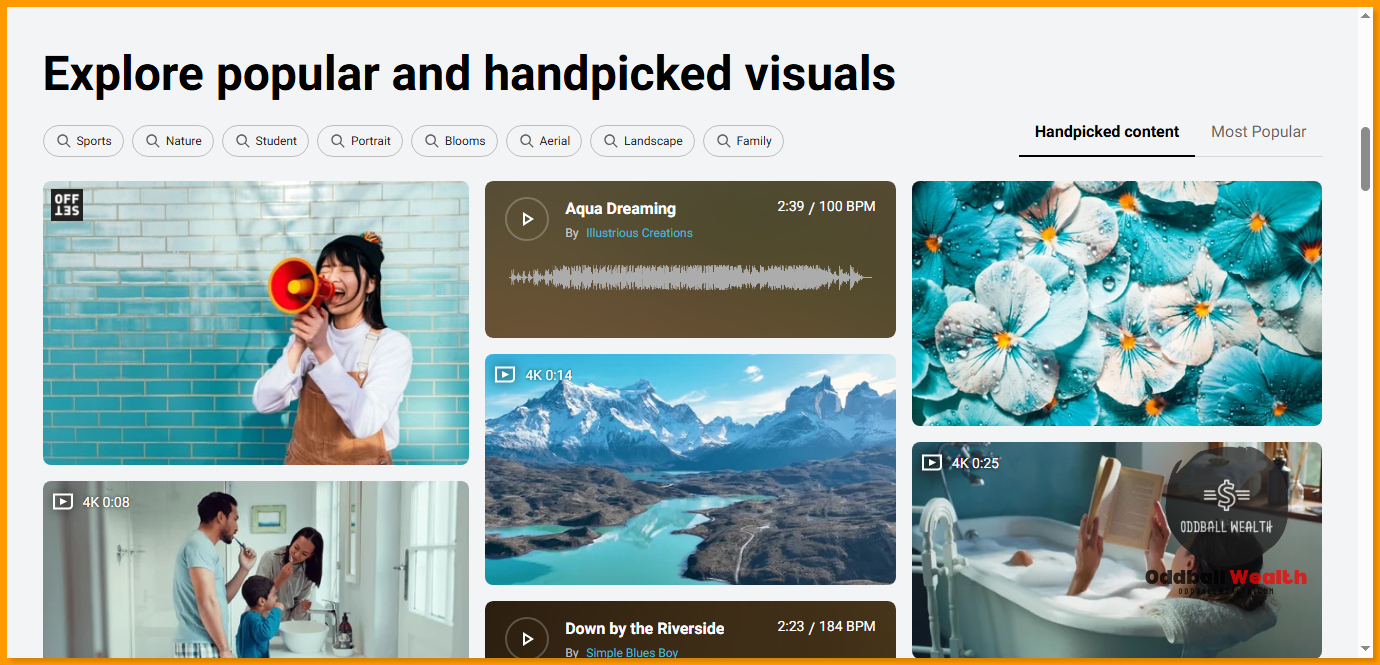
If you’re new to Shutterstock, don’t worry—it’s incredibly user-friendly. Here’s how you can get started:
Step 1: Sign Up
- Visit Shutterstock.com.
- Choose between free browsing or creating an account for access to features like saved collections.
Step 2: Search for Assets
- Type your keyword into the search bar.
- Use filters to refine results (orientation, image type, or specific themes).
Example: For a fall-themed campaign, I searched “autumn leaves,” filtered by vertical orientation, and found perfect images within seconds.
Step 3: Customize Your Downloads
- Preview the asset to ensure it meets your needs.
- Download in your preferred resolution.
- Use Shutterstock Editor for on-the-fly tweaks.
Step 4: Incorporate into Projects
Shutterstock files integrate seamlessly with platforms like Adobe Creative Cloud, Canva, and even Microsoft PowerPoint.
Lifetime Deal: Get the The All-in-One Microsoft Office Pro 2019 for Windows: Lifetime License + Windows 11 Pro Bundle for ONLY $45.97 – Click Here To Claim This Deal.
Scenario: While designing a pitch deck, I directly imported Shutterstock assets into PowerPoint. The result? A professional-looking presentation that wowed my clients.
Who Is Shutterstock For?
Shutterstock caters to a wide range of users, including the following below:
1. Content Creators and Bloggers
For content creators and bloggers like myself who need consistent, high-quality visuals, Shutterstock is a lifesaver. Whether you’re creating a food blog, travel diary, or tech review, the platform’s vast library ensures your content always shines.
2. Marketing Campaigns and Teams
Marketing campaigns demand visuals that resonate with audiences. With Shutterstock’s curated collections (e.g., seasonal trends or industry-specific themes), crafting impactful ads becomes effortless.
3. Design Professionals
From vectors to 3D renders, designers get everything they need under one roof. The ability to download assets in various formats (JPG, PNG, EPS) adds flexibility.
Pros and Cons of Shutterstock
Every tool has its strengths and weaknesses. Here’s my take on Shutterstock:
Pros of Shutterstock
- Extensive Library: Few platforms match its sheer size.
- High-Quality Assets: Images and videos are consistently top-notch.
- User-Friendly Interface: Searching, filtering, and downloading are straightforward.
- Frequent Updates: Fresh content is added regularly.
Cons of Shutterstock
- Costly for Casual Users: Subscriptions can be pricey for those with occasional needs.
- Limited Free Options: A free account is helpful but offers limited downloads.
Shutterstock Alternatives
While I love Shutterstock, it’s worth exploring alternatives depending on your needs:
- Adobe Stock: Great for Adobe Creative Suite users. (Exclusive Deal: Get The 2025 All-in-One Adobe Creative Suite Bundle for ONLY $29.99! – Click here to claim this deal.)
- Photos.com: Professional High Quality Images, Photos, and Art. (Read our Photos.com review here.)
- Pexels: Free, high-quality visuals but with a smaller library.
- Unsplash: Ideal for artistic, lifestyle imagery but lacks diversity in assets like vectors or videos.
Shutterstock Review Conclusion: Is Shutterstock Worth It?
After weeks of testing, I can confidently say Shutterstock is worth every penny—especially if you’re a serious content creator or marketer. Its library is unparalleled, the search functionality is a game-changer, and the tools make designing effortless.
Whether you’re crafting a YouTube video, a blog post, or an ad campaign, Shutterstock’s assets elevate your projects, making them professional and eye-catching.
Ready to unlock creativity? Start your journey with Shutterstock here.
Shutterstock FAQs
Can I use Shutterstock images for commercial purposes?
Yes, Shutterstock’s standard license covers commercial use. For extensive usage, such as merchandise, you may need an enhanced license.
Is there a free trial for Shutterstock?
Yes, Shutterstock offers a free trial where you can download a limited number of assets.
How does Shutterstock compare to free platforms like Unsplash?
Shutterstock offers a much larger, higher-quality library with commercial usage rights, while free platforms like Unsplash may have limited options and usage restrictions.
Can I cancel my subscription anytime?
Yes, but be aware of terms and conditions to avoid penalties.
This Shutterstock review only scratches the surface of what Shutterstock offers. If you’re as passionate about creating as I am, give Shutterstock a try—you won’t regret it.
Read Other Reviews from Oddball Wealth!